

 Get OpenRang for Chrome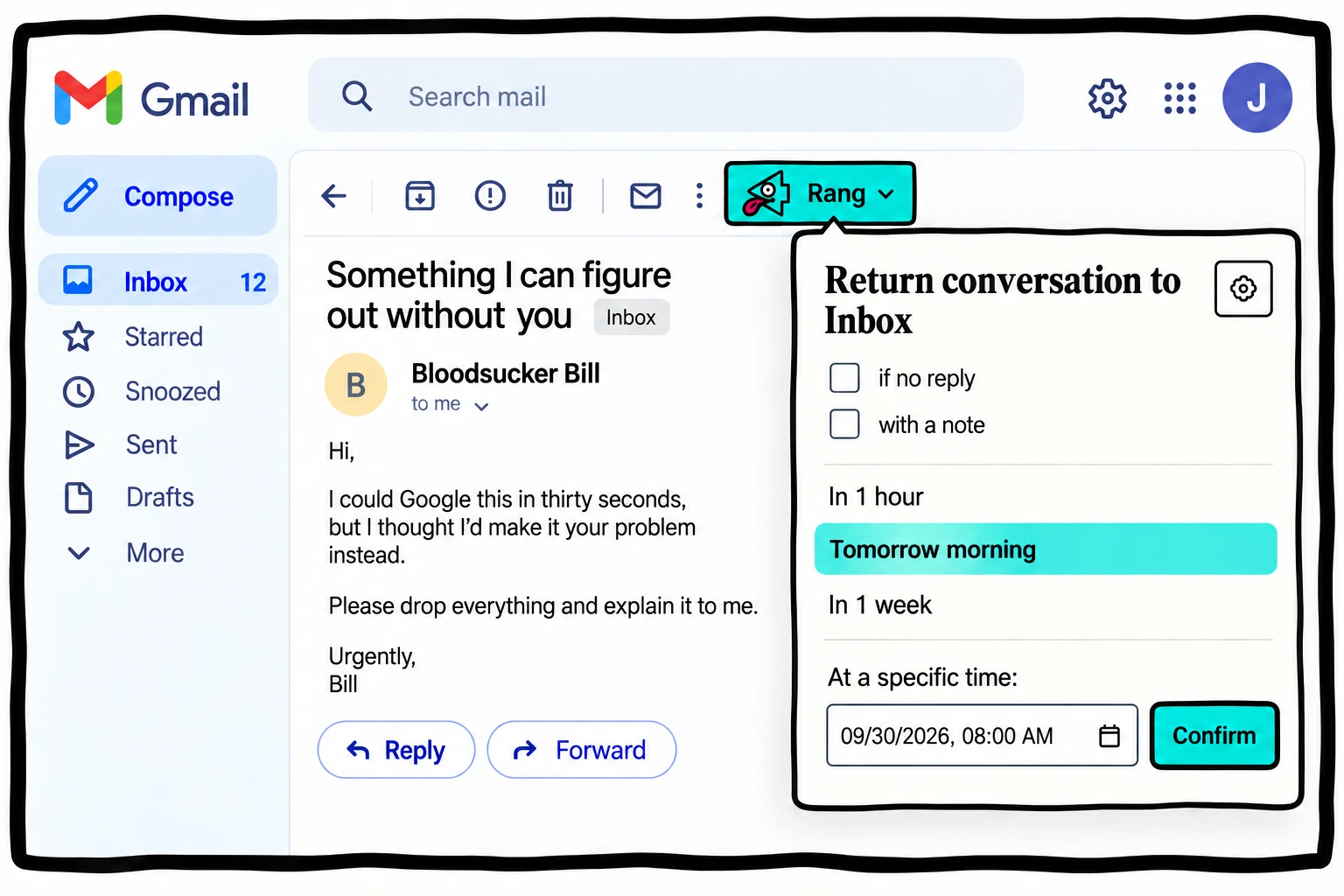
Choose the right kind of reminder
- A suggested follow-up: Gmail’s native nudges can surface conversations to reply to or follow up on.
- A separate action: Google Tasks can hold a dated task linked to an email.
- A conversation review: set a Rang when the thread contains the context you want back, with a note describing the next step.
A reminder to review and an automatically sent follow-up are different choices. Decide whether you want a prompt for yourself or an outgoing message.
Set up a fixed-time follow-up review
- Open the relevant conversation in Gmail and click Rang.
- Choose a review time and leave “if no reply” unchecked for this workflow.
- Add a private note, such as “Check whether Bill answered the installation question.”
- When you review the thread, check replies and decide whether to follow up, cancel, or reschedule.
Your reminder stays private. The recipient receives a message only if you choose to send one.
Need a Gmail reminder if no reply? Define the outcome first
“Remind me if someone doesn’t reply” is a useful need, but a reply is not always a resolution. Bill can answer “looking into it” while you still need the estimate. A client may give approval by phone instead of email.
- No response: decide whether another email is appropriate.
- A response without an answer: keep the commitment on your list.
- The outcome arrived elsewhere: cancel the reminder or record the next step.
This guide uses a fixed-time review so you can make that decision from the conversation and your other context.
A follow-up system for freelancers and consultants
Suppose a client owes you approval of a draft. Write the decision you need, choose a reasonable check-in date, and keep the conversation on your waiting-for list. When the reminder returns, inspect the thread and decide whether to ask again.
For a hard deadline, use a calendar or task reminder that meets your availability requirements. OpenRang catches up after Chrome resumes or reconnects; it cannot promise an alert while the computer is asleep.